Search

10 uniQue Minima template

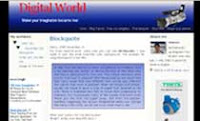
Several days ago one of my friends request to me for made minima template with 3 columns and the sidebar had the colour also the high of sidebar always was the same as the column main colum ( column for postimg). To promised his request, I made in accordance with hisrequest. this is the screenshot of this template : uniQue minima template This template was given the name uniQue minima, why i'm give the name unique minima? There were several reasons, there is :
  • Had three columns that is Main column and two sidebar column.
  • Sidebar had the colour be different from main column.
  • The height of sidebar background colour always be the same as main column.
  • The sidebar background color was easy to change with your.
This template is on XML format (new blogger template). If there is one of you interested in the HTML format (Classic template), please write your request in the comments box, then later i'm will be made it and all that was free. The little note for you that more liked sidebar column was on the left, you could change the position sidebar to was on the left, his step like this:
  • Login in blogger with your id.
  • Click Layout.
  • Click Edit HTML.
  • Look for the code like this :
  • #main-wrapper { width: 467px; float: left; margin:0px 7px 0px 0px; word-wrap: break-word; /* fix for long text breaking sidebar float in IE */ overflow: hidden; /* fix for long non-text content breaking IE sidebar float */ }

    #sidebar-wrapper { width: 400px; float: right; margin:0; padding: 7px; background:$sidebarbgcolor; word-wrap: break-word; /* fix for long text breaking sidebar float in IE */ overflow: hidden; /* fix for long non-text content breaking IE sidebar float */ }

  • You only just changed the code float: right; to float: left; , also was the reverse, so as the code to like this:

    #main-wrapper { width: 467px; float: right; margin:0px 7px 0px 0px; word-wrap: break-word; /* fix for long text breaking sidebar float in IE */ overflow: hidden; /* fix for long non-text content breaking IE sidebar float */ }

    #sidebar-wrapper {

    width: 400px; float: left; margin:0; padding: 7px; background:$sidebarbgcolor; word-wrap: break-word; /* fix for long text breaking sidebar float in IE */ overflow: hidden; /* fix for long non-text content breaking IE sidebar float */ }

  • Click Save Template button.
  • Finish.
Please see results, now sidebar column located on the left and main column was on the right. The other note that is, the data for download was in the zip fail, so as before you uploading this template to blogger, you must extract with winzip software. The last note, this template is free to download, but you don't delete credits link to my blog. to download, please click the link below : Enjoy your new face !
Continue Download ...

16 Abstract Mind : XML Version

Possibly you were not again foreign with this template , Abstract Mind template. Results of the design from Cristina.Originally, this template was made in classic (html) version, so for you user new blogger template (xml) could not use this template. To fill the desire lovers of Abstact mind template, good news for you because I has made a similar template, of course at the XML version.
Data file could in download not too big, that is only of 8 kb in ZIP file. before uploaded to blogger, you must extract used winzip software. To Appreciated designer of this template, please should not delete the credits link. so download immediately, and enjoy your beautiful template. Demo Site |
Continue Download ...

7 uniQue Template R 2.1

uniQue template R 2.1
For you who wanted to enjoy the week end in the cyber world and want to renew your blog face, might be this template is the good choice. This template was given the name uniQue Template R 2,1 , still featured the blue colour as the main colour. The theme that in carried was Electronics World . This template was more specific in the allocation for you who were happy would the electronics world.
Header image quite moderate good, the touch of the colour of blue gradient was accompanied with banner of camera made header image more elegant in the equal templates beforehand. Two sidebar that located on the right and the left side more enabled you to insert more widget. That more interesting was the part footer in for two style that is footer first have three columns, and the second footer have one column with large width. Live demo |
Continue Download ...

8 uniQue template R 1.9

uniQue template R 1.9 The happy news today, there is new template was available in uniQue. The name of this template is uniQue template R 1,9. One clean template, was glad to in saw. That was more interesting of this template is had two sidebar, so as very appropriate for you who had many content that entered input in sidebar, and not only that, the other uniqueness was in the part of footer, the footer was made three columns, so as to appear more interesting and definitely more content can added.

Because this template was given free for you then had the rule that must be obeyed by you that is you might not to change or removed the credits linkto this blog, the location was underneath.

The last is, the file for download is stille in zip file, so before you upload to blogger you must extract him used winzip.

Enjoy your new blog face .

Live demo | Download
Continue Download ...

1 Blue Menu Navigation

This is blue menu for your blogger menu.
For demo, please click at the button below :

Feel interest with this menu, please follow the instruction :
Step 1 ;
  1. Sign in to blogger with your ID

  2. Click layout tab

  3. Click Edit HTML tab

  4. Click Download Full Template, save your template for backup data

  5. Place this CSS code above ]]></b:skin>


  6. Click Save Template button

Step 2 :
  1. Click Page Element tab

  2. Click Add a Page Element

  3. Click ADD TO BLOG button below Javascript/HTML

  4. Copy and paste the code below in to the element


  5. Click SAVE button

  6. Click and hold the new element and drag to bellow of Header Element

  7. Click SAVE button

  8. Finish

OK, i hope you feel happy to use this menu.

Continue Download ...
 
© 2010 UniQue Templates is proudly powered by Blogger
Template Design by Blogger Templates | Blogger Tutorial